Build your own music festival lineup
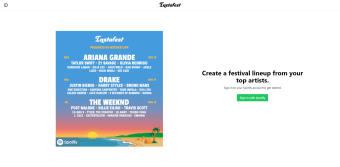
Instafest is a free music and radio web app that allows you to build your own music festival lineup with your most-played Spotify artists. All you need to do is log into your Spotify account and connect this third-party tool and let the magic happen right before you.
Instafest is pretty similar to other tools like Icebergify, which also creates a curated “iceberg” based on your listening history. It also allows you to save the image with your very own musical iceberg so you can share it with friends on other social media platforms.
What does it offer?
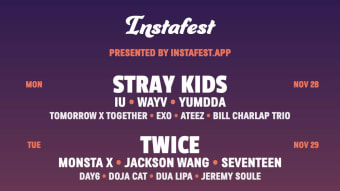
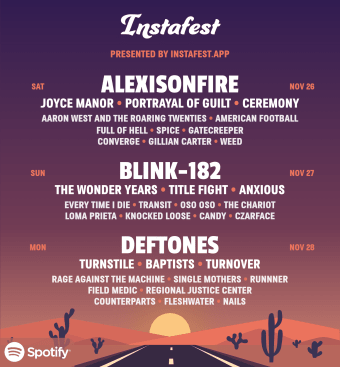
Instafest’s feature set is pretty simple and direct-to-the-point. As previously mentioned, this tool allows you to link your Spotify account in order to gather your listening history and determine which artists you listen to the most. It then divides your favorite artists into three separate sections to signify different dates at what would be a music festival curated just for you.
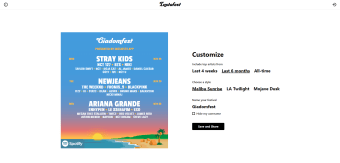
This web app provides you with some fun customization features as well. Users can choose to gather their top artists from the past four weeks, the past six months, and your all-time top artists. You can also choose from three different design styles to suit your aesthetic preferences, namely: Malibu Sunrise, LA Twilight, and Mojave Dusk. There’s also an option to name your music festival whatever you’d like.
Some users can be put off by the need to allow special permissions before they can connect their account to the web app, however, this tool does not change anything about your account and only gathers your listening preferences. It’s also important to note that you cannot edit the placement of each artist in your lineup since they’re fixed as the AI arranges them.
Is it worth checking out?
Overall, Instafest presents a fun way to show off your favorite artists to your friends and family. With the ability to customize your festival lineup’s look, you can further personalize the final output to fit your taste. Just keep in mind that you will need to grant the web app access to your Spotify account’s listening history to create your own festival.